Search this blog


Home About Contact
2009年10月31日星期六

Vintage Color & Design: Russian Propaganda Posters  

Inspired by this post I went looking for other examples of Russian color & design and came across this site.

"Most posters in our collection are originals, acquired in Russia in the 80's, political posters, made in the period 1950 - 1990, published with the supervision of the Communist Party, and were designed to make people work harder, be better communists and good patriots. Please be careful, most of these posters contain ruthless propaganda. Let's take them as historical artefacts..."

russian1
for_the_betterment
russian2
safeguardingthepeace
russian14
highest_objective
russian13
ready_for_winter

2009年10月30日星期五

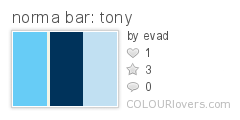
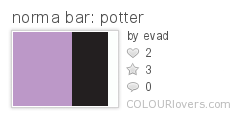
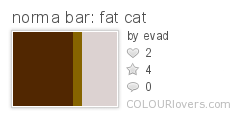
The Colors Of Noma Bar  

The simple, strong palettes of negative space virtuoso Noma Bar.

This selection of work is from his two books, Guess Who? The Many Faces of Norma Bar & Negative Space, both are published by Mark Batty Publisher and are available for purchase on the publisher's website.

normabar4
norma_bar:_tony norma_bar:_potter

normabar2
norma_bar:_peace norma_bar:_fat_cat

2009年10月29日星期四

Use the th element to specify row and column headers in data tables  

When using HTML tables to mark up tabular data, remember to use th elements for cells that provide header information for rows or columns.

In addition to using th elements for header cells, you should also use the scope or headers attributes to tell user agents, primarily screen readers and other assistive technology, which header cells provide header information for any given data cell.

Explicitly associating header cells with data cells isn’t strictly necessary for very simple tables that only have one row or column of headers, but it doesn’t hurt to get in the habit of always doing so.

Here is a simple example of header cells and the scope attribute:

  1. <table>
  2. <caption>Company data</caption>
  3. <thead>
  4. <tr>
  5. <th scope="col">Company name</th>
  6. <th scope="col">Number of employees</th>
  7. <th scope="col">Year founded</th>
  8. </tr>
  9. </thead>
  10. <tbody>
  11. <tr>
  12. <th scope="row">ACME Inc</th>
  13. <td>1000</td>
  14. <td>1947</td>
  15. </tr>
  16. <tr>
  17. <th scope="row">XYZ Corp</th>
  18. <td>2000</td>
  19. <td>1973</td>
  20. </tr>
  21. </tbody>
  22. </table>

For more complex tables you may need to use the headers attribute instead, which makes things a bit more… complex. You first need to give each header cell an id. Next, give each data cell a headers attribute with a space-separated list of the id:s of the cells that provide header information for it.

Here is how the same table as above would be marked up with headers and id instead of scope:

  1. <table>
  2. <caption>Company data</caption>
  3. <thead>
  4. <tr>
  5. <th id="name">Company name</th>
  6. <th id="employees">Number of employees</th>
  7. <th id="founded">Year founded</th>
  8. </tr>
  9. </thead>
  10. <tbody>
  11. <tr>
  12. <th id="acme" headers="name">ACME Inc</th>
  13. <td headers="acme employees">1000</td>
  14. <td headers="acme founded">1947</td>
  15. </tr>
  16. <tr>
  17. <th id="xyz" headers="name">XYZ Corp</th>
  18. <td headers="xyz employees">2000</td>
  19. <td headers="xyz founded">1973</td>
  20. </tr>
  21. </tbody>
  22. </table>

Further reading: Bring on the tables.

This post is a Quick Tip. Background info is available in Quick Tips for web developers and web designers.

Posted in , , .


2009年10月28日星期三

1 Million Color Palettes... Thanks for Sharing the Love!  

Wow! What an honor.  It's so amazing how many of you have taken the time to share your color ideas & inspiration with us.  COLOURlovers continues to make me very proud to be part of such a great community.  Our 1,000,000th palette is a great milestone and we're excited and inspired to continue sharing the color love with you all.  You're all so awesome.

Some Color Palette Milestones...

#1
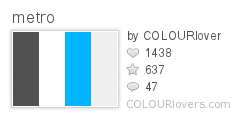
metro
#1 (Community Palette)
ContinuumXLS
#100
Hollow
#10,000
the_day_it_dies
#100,000
Praetorian
#1,000,000
Yeshua_HaMashiach
#999,999
Futuro
#1,000,001
Blackliner

But our 1,000,000 wouldn't have been possible without our 999,999th... and every palette that has been lovingly shared on this site.  Thank you all so much.

All 1,000,000 Color Palettes...

(Each pixel is a color strip in a palette) Click to see larger version.
COLOURlovers 1 Million Color Palettes

Some Interesting Color Coincidences

One of my favorite things to watch is the interesting coincidences that pop up when you have people from all over the world naming colors and putting them in palettes.  Some fun stuff in there... go have a look and laugh.

What Do We Do With So Many Palettes?

Ok, so that's a lot of color... We're working hard on the code for Version 4 of COLOURlovers that will make it easier to find the color inspiration you're looking for, to share your color ideas with others and to make even more palettes.

Make Something Awesomely Colorful!

We have an API... Who knows what awesome stuff you might build with access to 1 million palettes.  Some things that have already been built:

Codename Cuttlefish by serostar

DekafLovers by VisualRinse

Pulse by Michael Mahemoff

Desktop Color Finder by Levi McCallum

Circle Growth 1 from Alex Stanciu on Vimeo

Your Palettes... Your Stories: Share Why You Create

In the comments below, share a bit of your story with us.  I'd love to hear your answers to these questions. (They might help us explain to new lovers just why this place is so great.)
Why do you create palettes?

What do you like about it?

If you use palettes from COLOURlovers, what for?

What makes COLOURlovers such a great creative community?


Thank you all so much.  I'm looking forward to the next million, 10 million... and every other colorful milestone we'll reach together.

+Darius (COLOURlover)

2009年10月27日星期二

The Colors Of Norma Bar  

The simple, strong palettes of negative space virtuoso Norma Bar.

This selection of work is from his two books, Guess Who? The Many Faces of Norma Bar & Negative Space, both are published by Mark Batty Publisher and are available for purchase on the publisher's website.

normabar4
norma_bar:_tony norma_bar:_potter

normabar2
norma_bar:_peace norma_bar:_fat_cat

2009年10月26日星期一

Color From The Berlin Festival Of Lights  

Finishing up this weekend is the 2009 Berlin Festival of Lights: "For the fifth year in a row Berlin will sparkle as a range of illuminations and projections light up more than 50 famous landmarks and spaces, including Brandenburg Gate, Berlin Cathedral and the radio tower. For the first time, the landmark Europa-Center, as well as Kaiser Wilhelm Memorial Church in the west of the city will be illuminated."

275351623_01943693d6
Gertrud K.

berlin_lights_goldberlin_lights_blue

4026780721_0b5a0b3bf3
mr172

2009年10月25日星期日

Lightboxes and keyboard accessibility  

The Lightbox effect is showing up pretty much everywhere on the web these days. There are approximately one million different implementations that basically do the same thing: when the user clicks on an image, the screen is dimmed and a larger version of the image is displayed until the user closes it by clicking a ”Close” link or icon.

Many people love this effect, and it definitely can be very useful. There are some problems though. One, which Jonathan Christopher talks about in The Trouble with Lightbox (and its Variants), is that most lightboxes break the back button. Another is keyboard accessibility.

Lightboxes can be very annoying to people who do not use a mouse. The problem with keyboard accessibility isn’t launching lightboxes. That part usually works well. But after that the trouble starts.

Once you’ve launched a lightbox there are a variety of ways to interact with them. Some seem to ignore keyboard input, others let you close them by pressing the Escape key. Sometimes you can step through images in a slideshow by using the left and right arrows, sometimes you can’t. And hardly any of them handle keyboard focus very well.

Here’s what I want from a lightbox script in the way of keyboard accessibility:

  • Let me use the left and right arrow keys to step through images in a slideshow
  • When I press Esc, close the lightbox
  • Do one of the following:
    • Either add focusable elements (links or buttons) for close/next/previous, put keyboard focus on the first focusable object in the lightbox, make sure I can’t tab to something behind the lightbox, and make it visually obvious which object has keyboard focus
    • or close the lightbox when I press Tab
  • When the lightbox closes, return keyboard focus to where it was when I opened it

This may not seem difficult to implement, and it probably isn’t. Despite that I haven’t been able to find a single lightbox implementation that offers all of this, but that doesn’t mean there isn’t one. Maybe I just haven’t been looking hard enough.

I’m not the only one to have noticed this â€" Josh Habdas describes some usability and accessibility issues with lightboxes in Building a Better Lightbox.

Posted in , , .